Enhanced Character Consistency
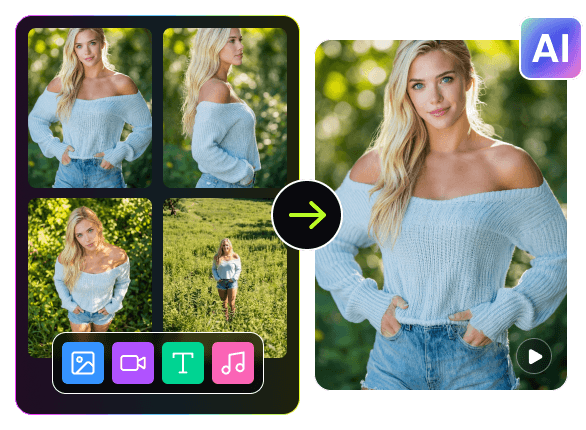
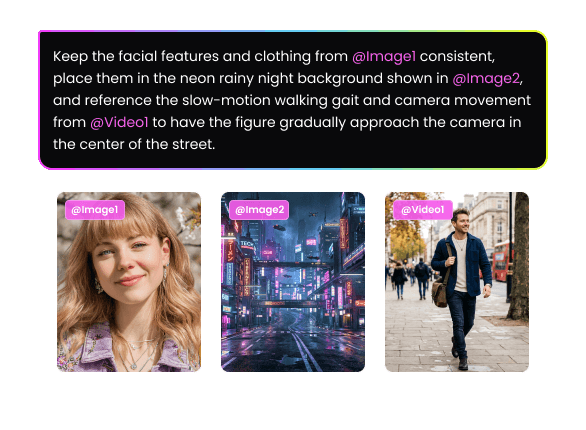
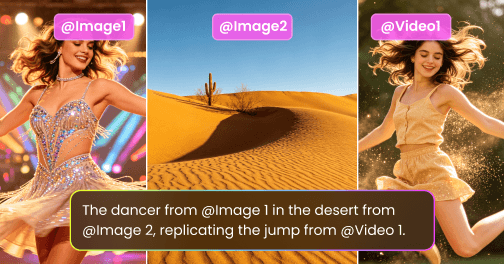
Our all-in-one reference video generation tool can accurately identify a character's facial features, hairstyle, clothing, etc., by uploading single or multiple character reference images. During the video generation process of camera switching and different scene changes, the consistency of the character image is always maintained, without problems such as facial changes, clothing confusion, loss of details, and facial deformities, making the character image coherent and natural from beginning to end, which is very suitable for producing series videos.
'/%3e%3cpath%20d='M9.34735%205.07241C11.8356%205.07241%2013.9133%206.66418%2014.4578%208.83779C14.5265%209.20482%2014.5341%209.42424%2014.462%209.87377C14.3473%2010.4315%2013.9838%2010.9592%2013.3677%2011.4305L18.6592%2011.5945C18.8793%2010.9561%2018.9982%2010.2749%2018.9982%209.56752C18.9982%205.94038%2015.8716%203%2012.0148%203C9.47604%203%207.25371%204.27403%206.03125%206.17934C6.93603%205.48726%208.09017%205.07241%209.34735%205.07241Z'%20fill='url(%23paint1_linear_1934_63555)'/%3e%3cpath%20fill-rule='evenodd'%20clip-rule='evenodd'%20d='M11.481%2011.5949C14.3855%2011.5949%2016.7401%209.38049%2016.7401%206.64894C16.7401%205.77328%2016.4981%204.95076%2016.0736%204.2373C17.8326%205.42984%2018.9777%207.37338%2018.9777%209.56846C18.9777%2013.1956%2015.8511%2016.136%2011.9943%2016.136C11.8476%2016.136%2011.7019%2016.1317%2011.5574%2016.1233V16.1558C11.4179%2016.1471%2011.2771%2016.1427%2011.1352%2016.1427C8.15594%2016.1427%205.66016%2018.0896%205.00781%2020.7043V15.0129C6.1949%2012.9801%208.49286%2011.6023%2011.133%2011.6023C11.2191%2011.6023%2011.3049%2011.6037%2011.3902%2011.6066V11.5941C11.4204%2011.5946%2011.4506%2011.5949%2011.481%2011.5949Z'%20fill='url(%23paint2_linear_1934_63555)'/%3e%3cdefs%3e%3clinearGradient%20id='paint0_linear_1934_63555'%20x1='11.9834'%20y1='3'%20x2='11.7463'%20y2='16.6886'%20gradientUnits='userSpaceOnUse'%3e%3cstop%20stop-color='%23E5007C'/%3e%3cstop%20offset='0.585'%20stop-color='%239351FF'/%3e%3cstop%20offset='1'%20stop-color='%23873DFF'/%3e%3c/linearGradient%3e%3clinearGradient%20id='paint1_linear_1934_63555'%20x1='12.5147'%20y1='3'%20x2='15.6761'%20y2='9.09519'%20gradientUnits='userSpaceOnUse'%3e%3cstop%20stop-color='%23FA0BFF'/%3e%3cstop%20offset='1'%20stop-color='%23EF500C'/%3e%3c/linearGradient%3e%3clinearGradient%20id='paint2_linear_1934_63555'%20x1='6.39714'%20y1='14.8007'%20x2='19.3204'%20y2='13.5723'%20gradientUnits='userSpaceOnUse'%3e%3cstop%20stop-color='%23FF2B5B'/%3e%3cstop%20offset='1'%20stop-color='%23FFAA72'/%3e%3c/linearGradient%3e%3c/defs%3e%3c/svg%3e)


'%20fill='%23A984FF'/%3e%3c/svg%3e)